
SCLPL
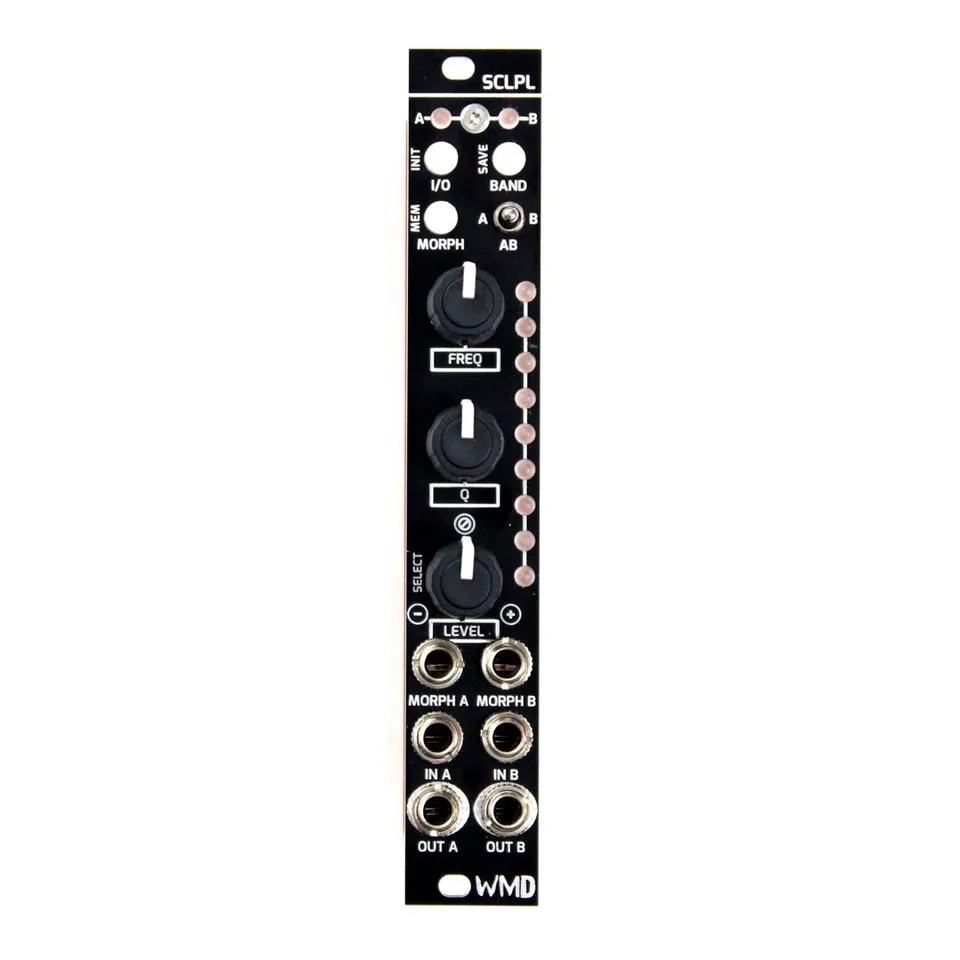
5-Band Stereo EQ with Morphing
1Introduction
The WMD SCLPL (pronounced “scalpel”) is a compact stereo or dual-mono 5-band parametric equalizer with parameter morphing. We all agree that EQ is tremendously helpful in a studio, but powerful, high-fidelity EQ hasn’t been available in Eurorack. SCLPL is a small form factor EQ that gives you five fully parametric bands, like what you’ll find in analog outboard EQs and modern plug-ins.
Its dual-mono or stereo design lets you set up two fully independent EQs or process a stereo field. The real fun begins with parameter morphing. Nine “presets” can be stored (per side) and morphed through with knob control or CV, dramatically transforming the spectral content of your signal. Morphing through extreme settings will breathe new life into otherwise static sounds or samples. Whether subtly tweaking a sound or mangling your master, SCLPL gives you the precision to cut your mix.
2Front Panel Overview
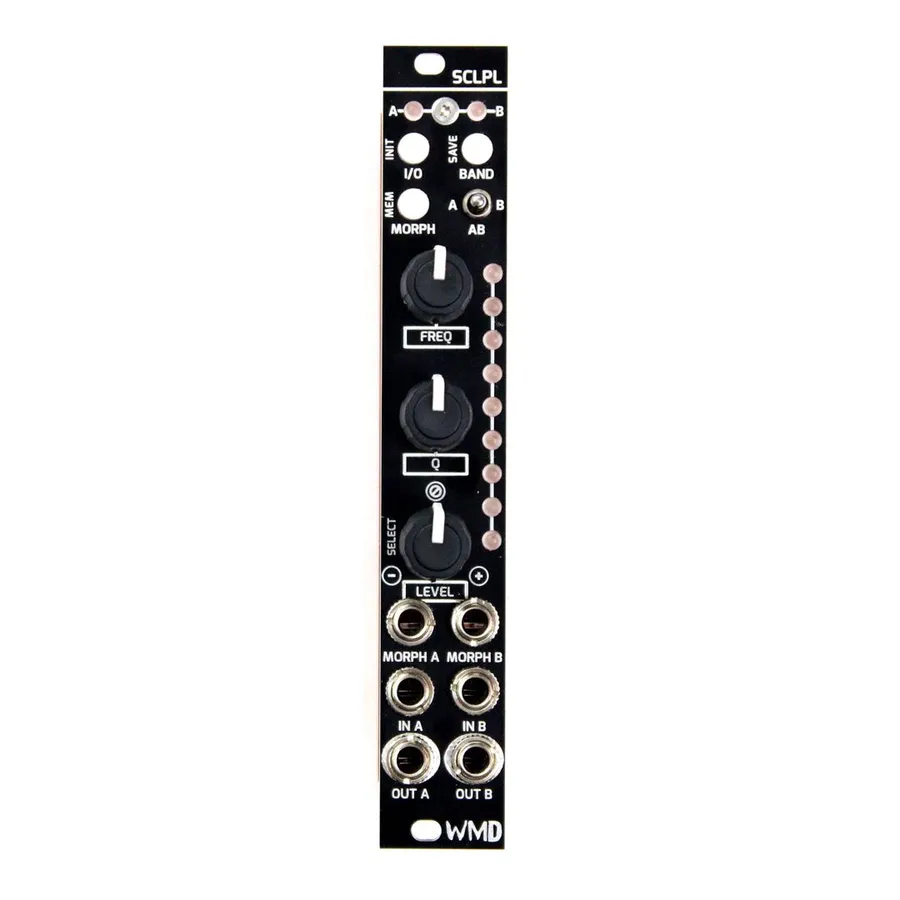
SCLPL packs its full feature set into a 4HP panel. The same controls take on different jobs in each of the module’s three operating modes; the labels below describe their primary functions.
- Channel LED Display: Two LEDs (A and B) at the top of the panel indicate the selected band and bypass status for each channel.
- I/O Button: Bypass SCLPL. Hold for additional functions that change with the operating mode.
- BAND Button: Cycle through the frequency bands. Hold to solo a band.
- MORPH Button: Press to enter Morph Mode; hold to enter Preset Mode.
- Stereo / Mono Switch (A/B): Select between stereo and dual-mono operation.
- FREQ Knob: Control the frequency of the selected EQ band.
- Q Knob: Set the Q (bandwidth) of the selected EQ band.
- LEVEL Knob: Set the level (gain) of the selected EQ band.
- Main LED Display: A vertical column of LEDs giving feedback on the current EQ band’s settings (and, in other modes, the preset and morph position).
- MORPH CV Inputs (MORPH A / MORPH B): CV inputs that control the morph position. Active only in Morph Mode.
- Audio Inputs (IN A / IN B): Signal inputs for channels A and B.
- Audio Outputs (OUT A / OUT B): Processed signal outputs for channels A and B.
3Dual Mono and Stereo Operation
By taking advantage of a digital interface and the Stereo / Mono Switch, SCLPL can operate in a linked stereo mode where every operation is mirrored on both the A and B channels, or in a dual-mono mode where every parameter for channels A and B is modified independently.
When the switch is in either the left or right position, the unit operates as a dual-mono effect. The effect is stereo when the switch is in the center position.
4Operating Modes
SCLPL has three main operating modes: Edit Mode, Preset Mode, and Morph Mode.
4.1Edit Mode
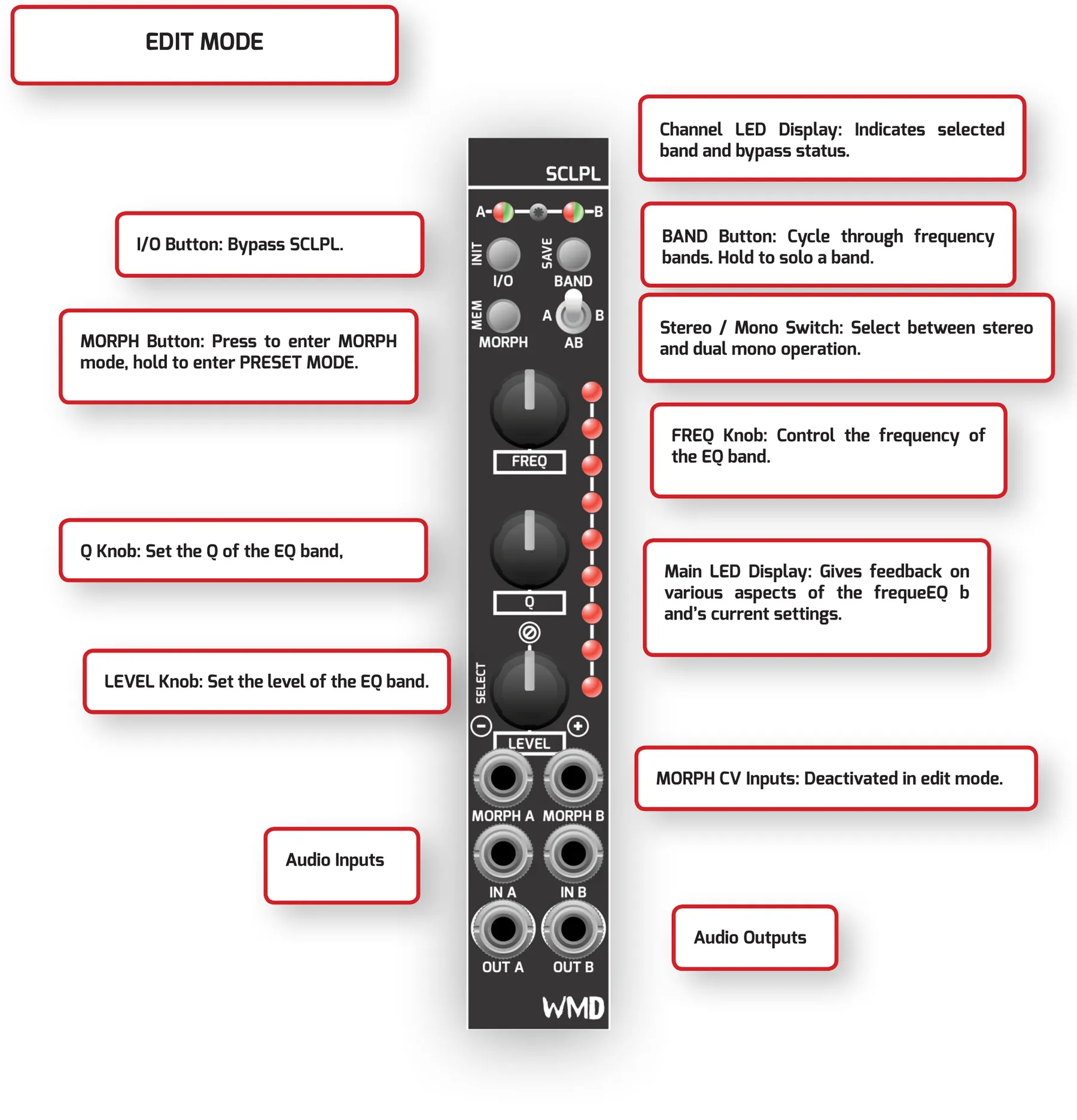
Edit Mode is used to set up and modify the parameters of the EQ. In this mode the FREQ, Q, and LEVEL knobs each control their respective parameters, and rough visualizations of this data are shown on the Main LED Display. One frequency band is editable at a time.
Cycle through frequency band selections by pressing the BAND button. Holding this button bypasses all other bands, creating a kind of “band solo” for detailed tweaks. An additional overall input-level parameter is available by holding the I/O button and turning the LEVEL knob — no level change is applied when the knob is in the 12 o’clock position.
4.2Preset Mode
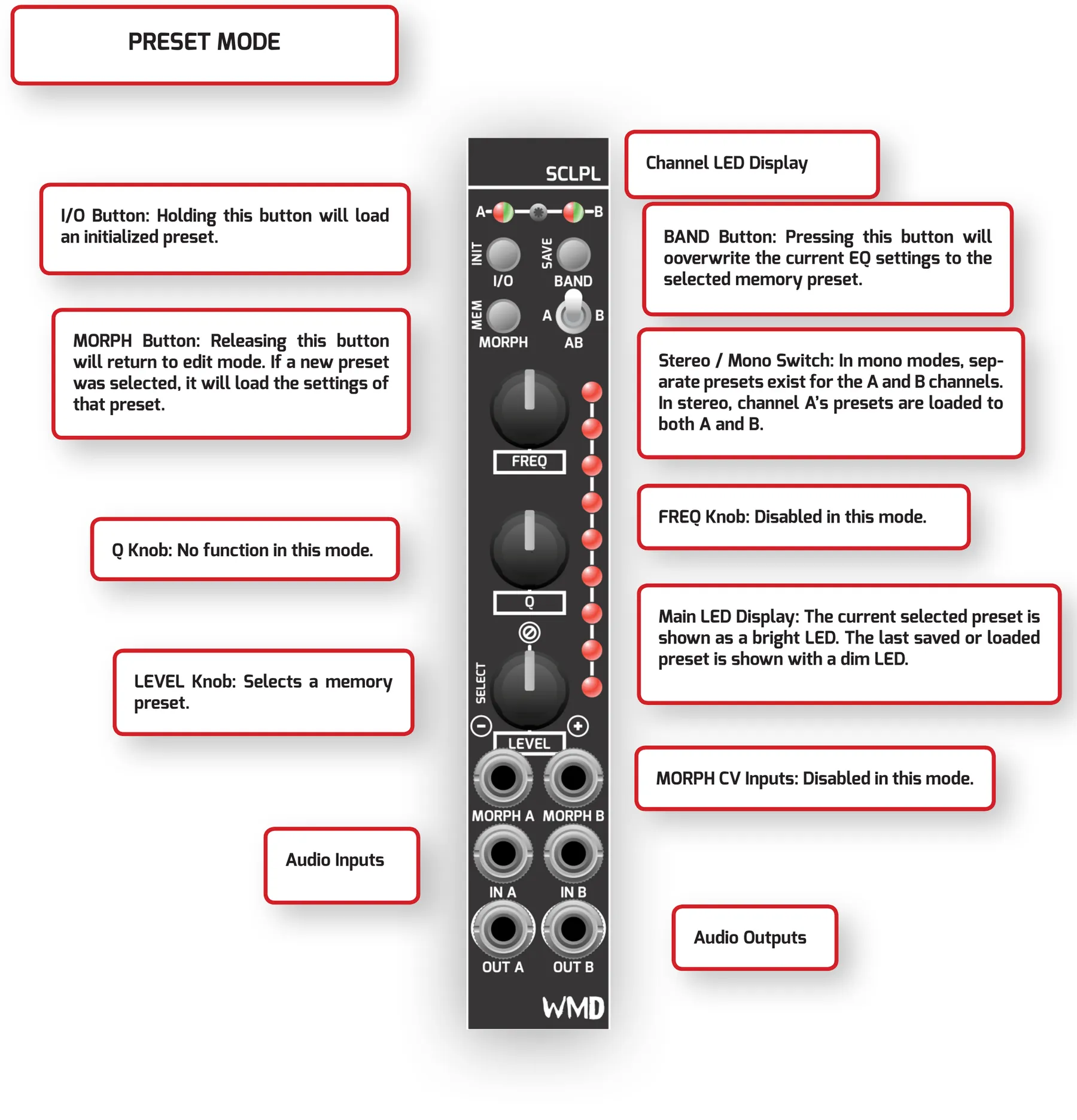
SCLPL has 9 preset memory locations that can be saved to or loaded from. These are accessed from Preset Mode. Enter Preset Mode by holding the MORPH button.
Once in Preset Mode, turn the LEVEL knob to select the desired preset memory location. Press the BAND button to save the current EQ settings over the selected location. Alternately, release the MORPH button to load the settings saved at the selected memory location. Loading an initialized (empty) preset is also available by holding the I/O button until the Main LED Display fills.
In mono modes, separate presets exist for the A and B channels. In stereo, channel A’s presets are loaded to both A and B.
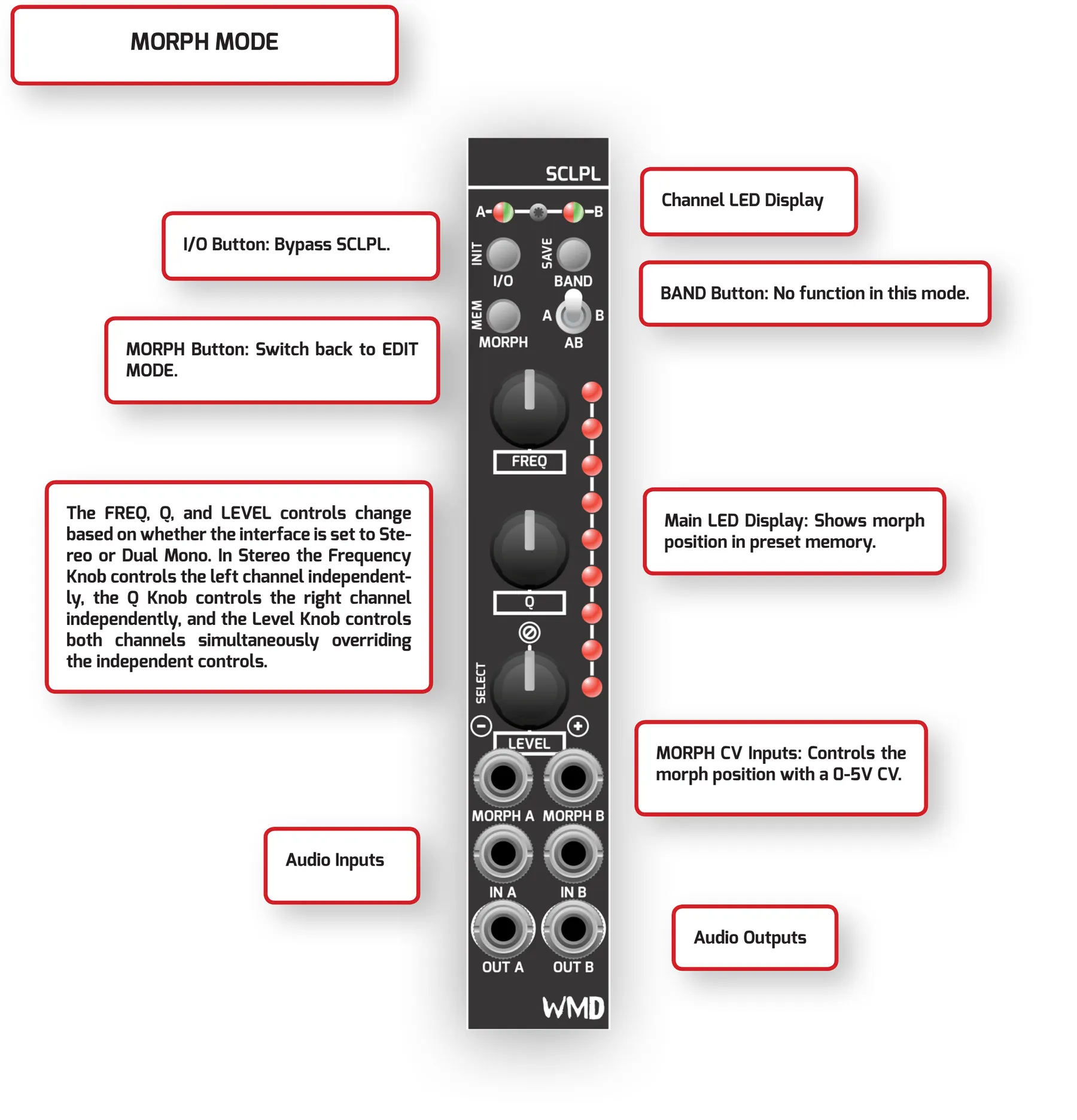
4.3Morph Mode
When SCLPL is filled with the desired presets, Morph Mode can be used to “morph” — smoothly interpolate — between the EQ settings stored in the 9 preset memory locations. Access this mode by pressing the MORPH button.
The Morph CV inputs are only active in Morph Mode, and their behavior changes depending on whether the interface is set to stereo or dual mono. In stereo, sending a single CV to either jack controls the other jack as long as nothing is plugged into it. In dual mono there is no normalling between the two inputs. The two channels can be controlled independently with separate CVs in either stereo or dual-mono operation.
The physical controls also change based on whether the interface is set to stereo or dual mono. In stereo, the FREQ knob controls the left channel independently, the Q knob controls the right channel independently, and the LEVEL knob controls both channels simultaneously, overriding the independent controls.
4.4Bypass Mode
At any time, a single SCLPL channel — or both — can be put into Bypass Mode by pressing the I/O button. In this mode, audio is passed directly from the input to the output with no equalization applied.
5EQ Settings Ranges
Each of SCLPL’s five bands has its own frequency, Q, and level range. The Top and Low bands are shelving filters; the three middle bands are fully parametric.
| Band | Frequency | Q | Level |
|---|---|---|---|
| Top | 1 kHz – 20 kHz | Shelving | −40 dB – +18 dB |
| Mid Top | 800 Hz – 16 kHz | 1.6 – 14 | −40 dB – +18 dB |
| Mid | 200 Hz – 4 kHz | 1.6 – 14 | −40 dB – +18 dB |
| Mid Low | 50 Hz – 1 kHz | 1.6 – 14 | −40 dB – +18 dB |
| Low | 15 Hz – 300 Hz | Shelving | −40 dB – +18 dB |
Frequency, Q, and level ranges for each of SCLPL’s five EQ bands.
6Words From the Designer
I’ve always wanted to make a morphing EQ. After prototyping many analog designs over the years, two major challenges continued to lambaste this project into the box of broken dreams:
Scope control — feature creep (“that would be cool if…”) kept bloating these analog designs into absolute monsters of space and cost.
Interface — the old concepts were huge, with screens, buttons, and tons of knobs and jacks. Paring down to just the essentials in an elegant way took a lot of time and a lot of learning along the way.
Moving to all digital allowed the WMD design team to accomplish a fully morphing EQ without a massive amount of space or unit cost. A simple LED meter instead of a massive screen kept the size down, still gives valuable feedback, and requires the use of your ears!
And so, we present SCLPL: a module that excels as a powerful static equalizer, with a morphing layer that unfolds a multitude of uses inside any modular system.
7Specifications
Dimensions:
- Width: 4HP
- Depth Including Cables: 38mm
Power:
- Typical Power Consumption: +12V: 93mA, -12V: 65mA
Inputs:
- Audio Inputs (IN A / IN B): 100k ohm input impedance
- CV Inputs (MORPH A / MORPH B): 100k ohm input impedance, 0–5V morph control
Outputs:
- Audio Outputs (OUT A / OUT B): 1k ohm output impedance
Audio Processing:
- Sample Rate: 48 kHz
- Bit Depth: 16-bit