
Legion
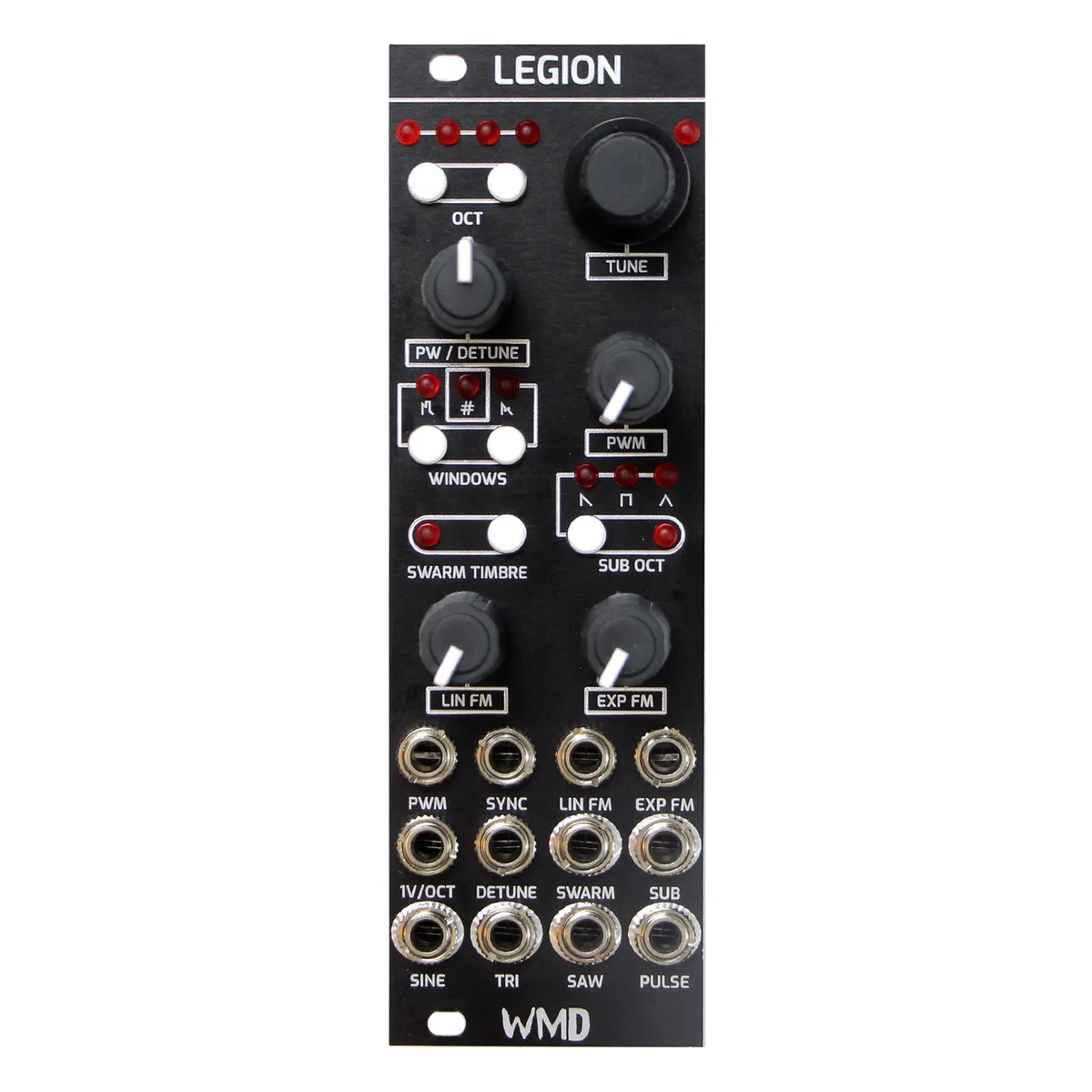
A Legion of Waveforms Awaits
1Introduction
The Alpha in the pack. In addition to the traditional waveforms commonly found in analog oscillators, Legion has a unique saw wave section. Inspired by the oscillator in the Alpha Juno synthesizer, we've added what we call “windows” to the saw wave output. A window is essentially a negative pulse in the center of the saw wave, creating an overtone to the classic waveform's sound. Use the switch to add more windows, creating a more complex high end. Then, use pulse-width modulation to really bring this effect to life by increasing and decreasing the size of the windows with an external CV source such as an LFO. This effect really adds teeth to the waveform.
In addition to the above, Legion also has an output called Swarm, which is essentially an analog supersaw. For this output, we start with a saw wave and then use seven DAC LFOs to modulate the phase of multiple reset points within the original. What this does is create the illusion of multiple saws being stacked on top of each other, slightly going in and out of tune with each other. Control the intensity of the unison effect with the detune knob, and switch on up to seven LFOs with the Timbre switch for a powerful, detuned supersaw effect that remains 100% analog.
Legion also hosts a sub-oscillator with switchable octave and Saw, Triangle, Square, and PW waveforms, a first in Eurorack in that it also fully reacts to Thru-Zero FM! A Thru-Zero sub oscillator that's not just a square wave.
Legion is obsessively engineered and uses efficient switching power supplies to keep the power consumption and heat down resulting in significantly greater tuning stability than its predecessor. The analog circuitry in Legion is the largest engineering challenge WMD has faced, and the result is by far the most advanced compact oscillator ever created. Legion is all analog signal generation, using digital control systems.
The engineering advancements of Legion were directly affected by the semiconductor shortage resulting in a 600 piece limited run. Thank you for your purchase and your support in making the dreams of artists world wide more achievable.
2Front Panel Overview
3Controls
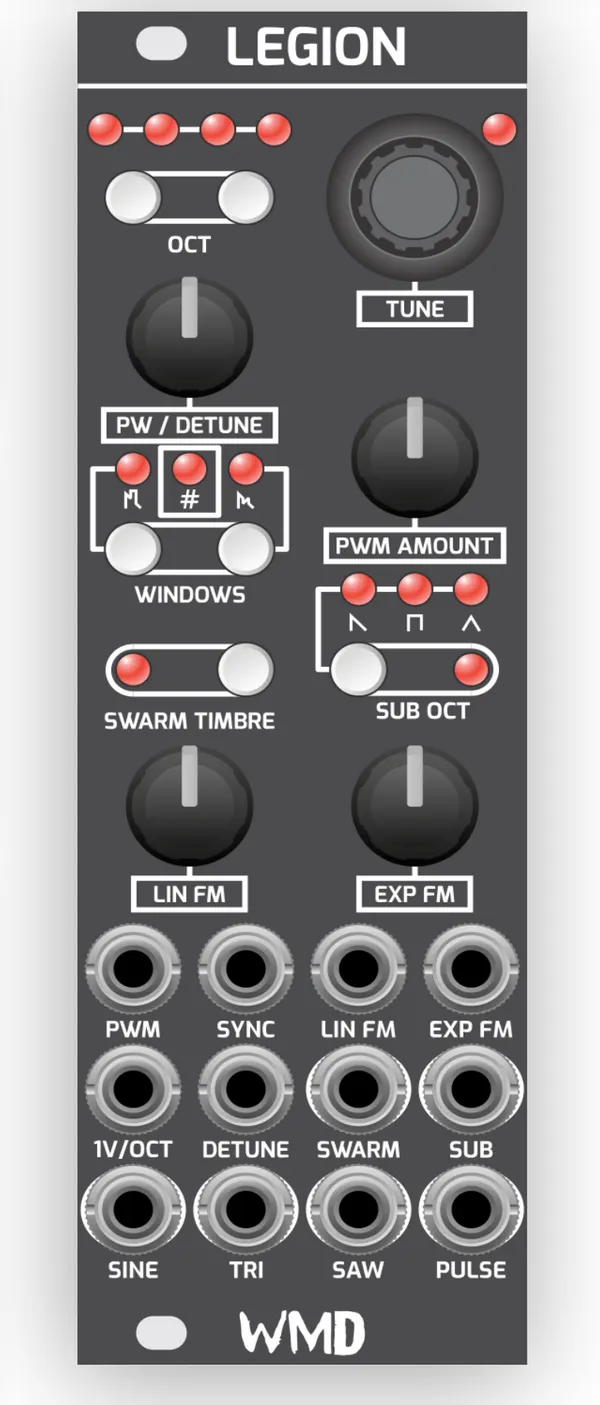
- Octave (LEDs): In oscillator mode these LEDs indicate the currently selected octave. Octaves 1-4 are displayed by one bright LED. Octaves 5-8 are displayed by one bright LED and three dim LEDs. In LFO mode the LEDs scan back and forth at the rate of the LFO.
- Octave (Buttons): Pressing the right OCT button increases the current frequency by one octave. Pressing the left OCT button decreases the frequency by one octave. Pressing both buttons at the same time toggles between oscillator and LFO mode.
- Tune (LED): This LED is lit brightly when semitone tuning is active. It is lit dimly when fine tune mode is active, and it breathes when tuning is locked.
- Tune (Encoder): In semitone mode this encoder increases/decreases the frequency by one semitone. Fine mode functions differently in oscillator and LFO modes. In oscillator mode, fine lets you tune the base frequency of the oscillator by +/- 2 semitones, at about 2 cents per encoder click. In LFO mode, fine increases/decreases the frequency by 5 cents continuously. Holding the encoder locks the tuning, leaving the encoder inactive; the octave buttons remain active.
- PW / Detune: Shared control for pulse width and SWARM detune amount.
- Windows: Pressing the right button increases the number of discontinuities in the SAW waveform. Pressing the left button decreases the number. When the # LED is off the SAW has no discontinuities. Holding the left button selects a window discontinuity similar to a pulse wave, indicated by the left LED. Holding the right button switches to phase reversal discontinuity, indicated by the right LED.
- Swarm Timbre: Pressing this button increases the number of swarm animators. When the LED is off, no animators are active.
- Sub Oct: Press the button to select whether the SUB waveform is -1 or -2 octave. Hold the button to cycle through the waveforms. An additional PWM waveform is selected when all three waveform LEDs are lit. The PWM source is SWARM TIMBRE animator 1, which means the PWM is disabled if the SWARM TIMBRE LED is off.
- Lin / Exp FM: Attenuators for the respective LIN FM and EXP FM inputs.
4Inputs and Outputs
- PWM: Pulse width modulation CV input.
- Sync: Selectable Hard / Soft sync input.
- Lin FM: Linear FM input, attenuated by the LIN FM knob.
- Exp FM: Exponential FM input, attenuated by the EXP FM knob.
- 1V/Oct: 1 volt per octave pitch CV input.
- Detune (CV): CV input for the swarm detune amount. Disables the DETUNE knob from SWARM when a cable is plugged into the jack.
- Swarm: Analog supersaw output.
- Sub: Sub-oscillator output with switchable octave and Saw, Triangle, Square and PW waveforms; reacts to Thru-Zero FM.
- Sine: Sine wave output.
- Tri: Triangle wave output.
- Saw: Saw wave output, with the windowed discontinuities set by the WINDOWS controls.
- Pulse: Pulse / square wave output.
5Memory
Front panel settings save to EEPROM. Settings are saved after 1 minute of button press inactivity.
6Specifications
Dimensions:
- Size: 8HP
- Depth: 38mm (with cables)
- PCB Height: 112mm
Power:
- +12V: 70mA
- -12V: 58mA
Performance:
- Frequency Range: LFO of ~2 minutes to 8kHz baseline. CV extends well beyond.
- Tuning: 7 Octaves minimum +/- 2 cents. 8 Octaves nominal.
Memory:
- Front panel settings save to EEPROM: Saves settings after 1 minute of button press inactivity.
7More Information
Visit the Legion product page for more details about this oscillator.