
Geiger Counter Civilian Issue
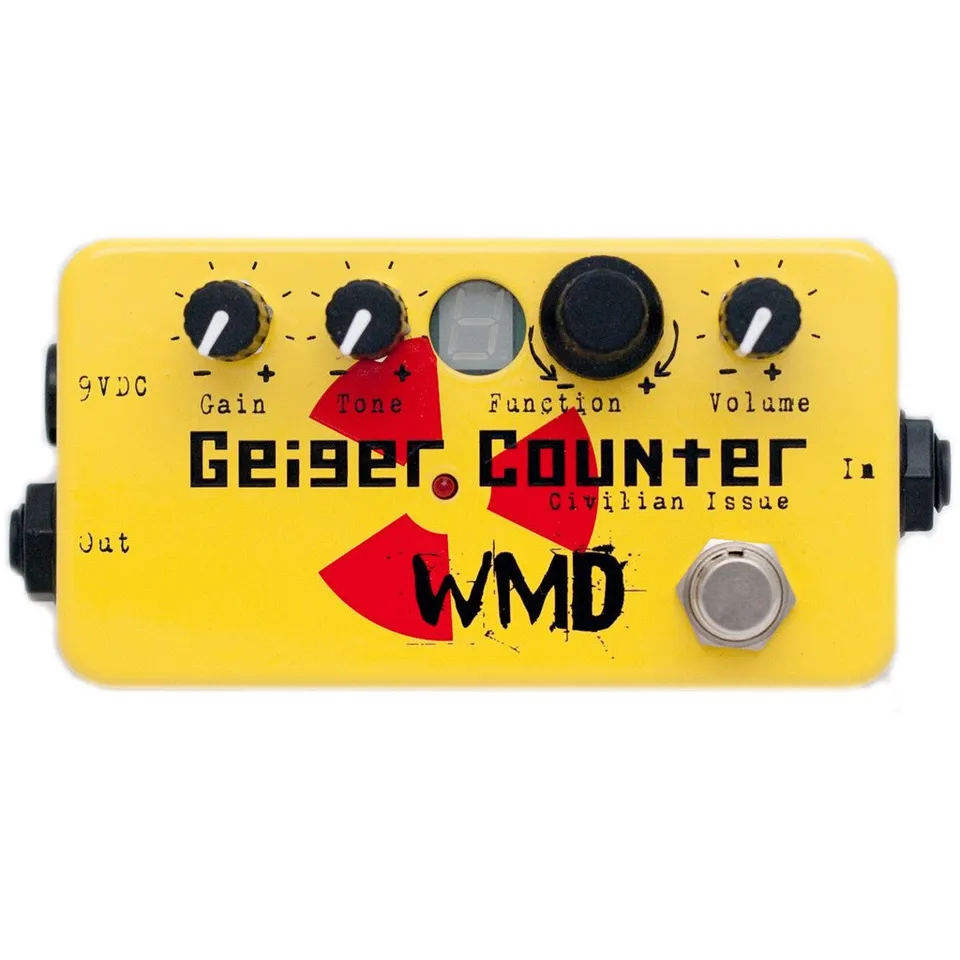
Digital destruction guitar pedal
1Introduction
Thank you for purchasing this WMD pedal. Please enjoy the insane tonal possibilities this device can create. This is the manual that will help you get the most from this device. It will be referred to as the GCCI in the manual.
2Controls
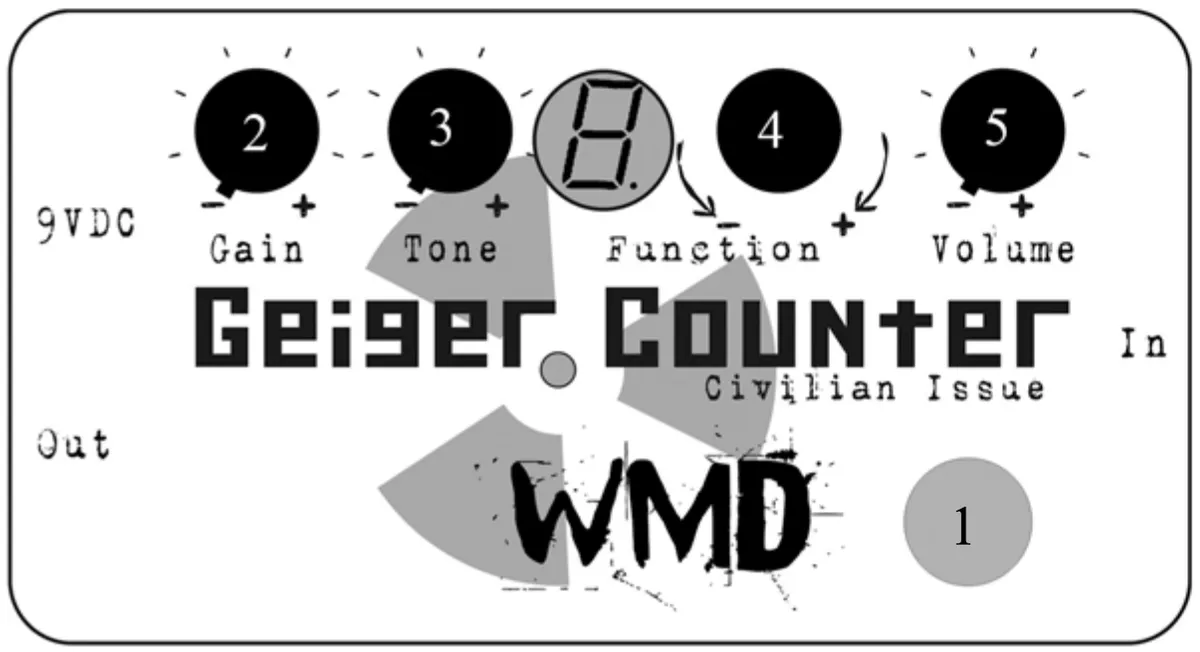
2.1Bypass (1)
Like all WMD pedals, the GCCI is wired true bypass. This stomp switch will bypass the GCCI entirely and will not interfere with the clean signal going through. When engaged, the red LED inside the radioactive insignia will be lit.
2.2Gain (2)
This knob controls the amount of distortion introduced by the hot analog preamp in the GCCI. Use low settings for cleaner tones.
2.3Tone (3)
This knob voices the analog preamp before your signal goes into the GCCI’s sadistic computer heart. Adjust to taste.
2.4Function (4)
Twisting this knob will cause the number in the display window to change. This selects the algorithm that will immediately begin annihilating your signal. The functions are designated 0-9 and A-F for a total of 16 Functions. Additionally, pushing the Function knob down will activate Lo-Fi mode, which is a dirtier and nastier implementation of the selected function. Lo-Fi mode is indicated by the decimal point being ON in the function window.
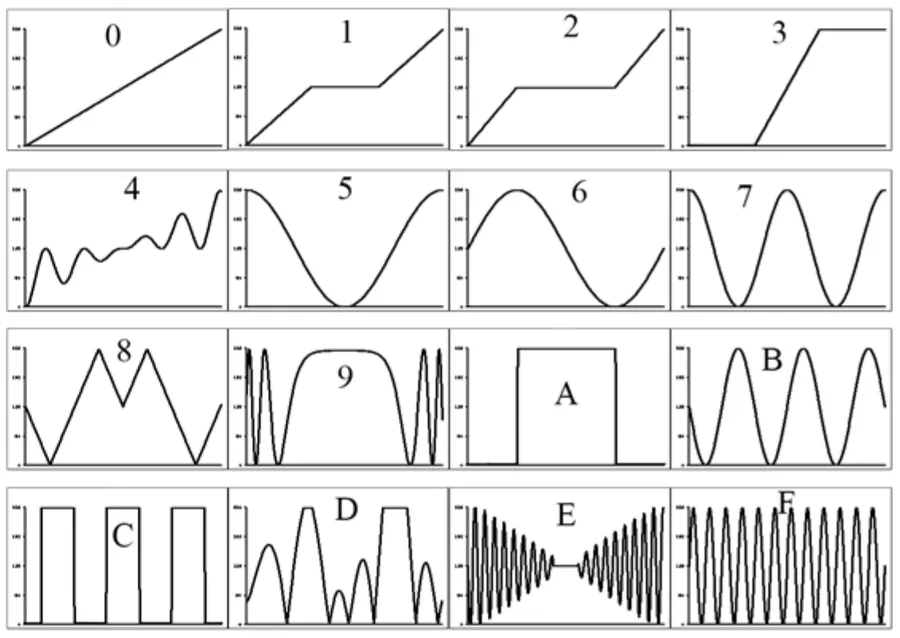
Each Function recalls parameters for the bit depth, sample rate, and wave table modulation as per settings on the big WMD Geiger Counter. The wave tables are displayed in The Functions. As your guitar string swings up and down, the wave table is played left to right from the center. Think of high school algebra math functions and graphs! The more movement in the graph, the more higher order harmonic content you’ll get out. The Bit Depth and Sample Rate settings are different in Hi-Fi and Lo-Fi modes.
2.5Volume (5)
This knob controls the overall output volume of the GCCI. Use with caution, the maximum volume can be incredibly loud and awesome.
3The Functions
4Battery and 9VDC Jack
WMD highly recommends using a BOSS style power jack (2.1mm Center Negative). A battery snap is provided but is recommended for use as backup only because the GCCI uses a lot of power (about 40mA). A battery will only last about 5 hours.
5Support
WMD is located in Denver, CO. Reach us by email at info@wmdevices.com. For more on the Geiger Counter Civilian Issue, including video demos, visit the product page.